Case studies

What a dashboard looks like for businesses like yours

Each one starts the same way: a process that lived in spreadsheets and someone’s head. These are example builds, one for each kind of business we work with. The companies and people in them are made up.

Industry
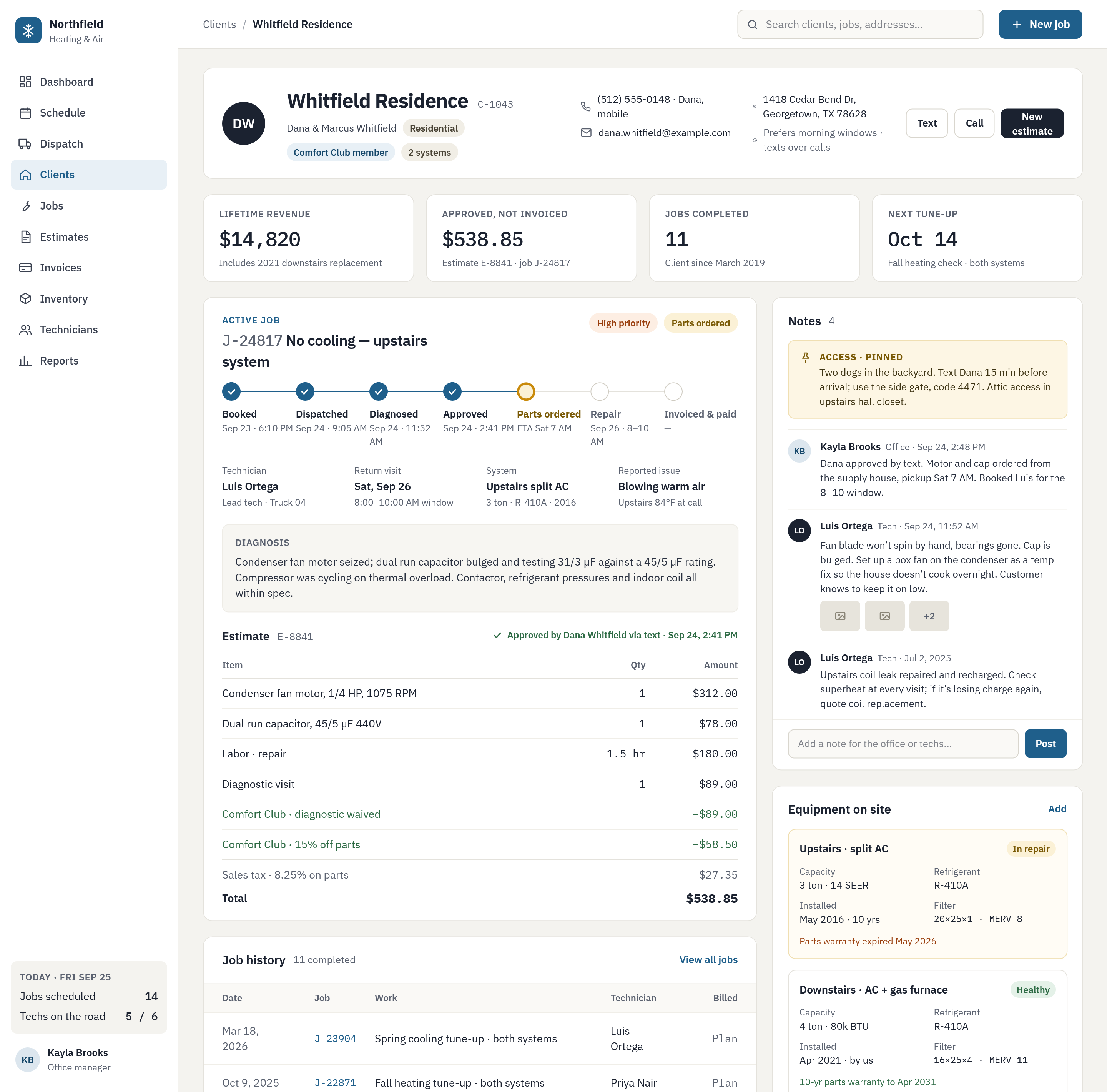
HVAC client record showing an active repair job, its estimate, technician notes and the equipment on site
Client record, used by the office manager and dispatcher. Techs see the same job, notes and gate codes on their phones.
HVAC contractor · Residential service

Every job, estimate and gate code on one screen

Before

Jobs on a whiteboard, estimates in a separate invoicing app, and access notes in a group text that scrolled away by lunch.

What we built

A dispatch board, a client record with equipment and job history, estimates customers approve by text, and a phone view for each tech.

After

The office answers “when is the tech coming and what will it cost” without a callback, and every tech arrives knowing about the dogs and the side gate.
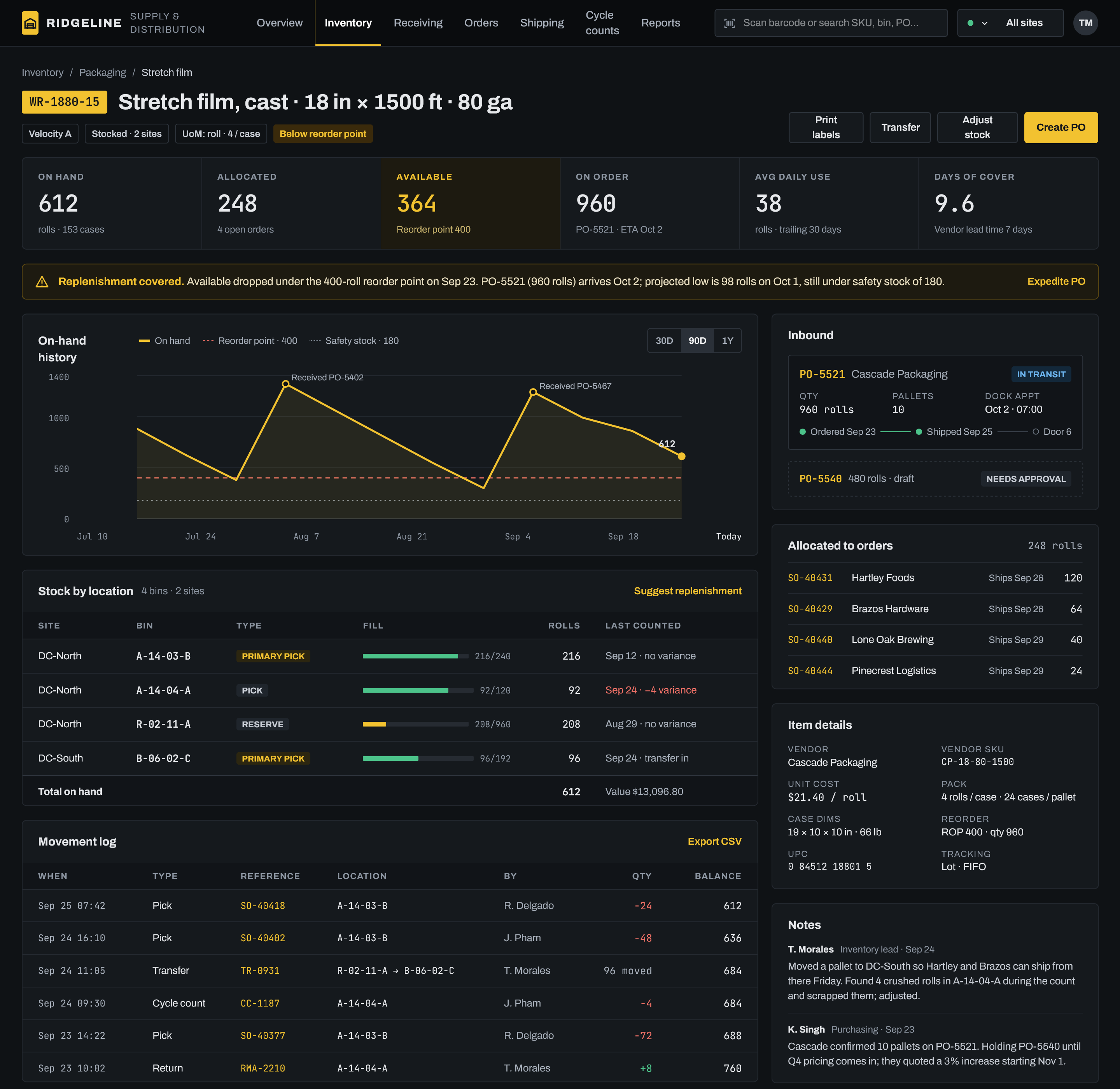
Warehouse item screen showing stock on hand by bin, on-hand history against the reorder point, and inbound purchase orders
Item screen, used by the inventory lead and purchasing. Pickers work the same bins from a handheld scanner.
Distributor · Two warehouses

See a stockout coming before a pick comes up short

Before

A reorder spreadsheet updated on Fridays, counts on clipboards, and purchasing hearing about shortages from the pick floor.

What we built

Live stock by bin and site, reorder points with days of cover, inbound POs with dock times, and a log of every pick, transfer and count.

After

Purchasing sees an item drop under its reorder point the day it happens, and anyone can see why a count is off without holding a meeting.

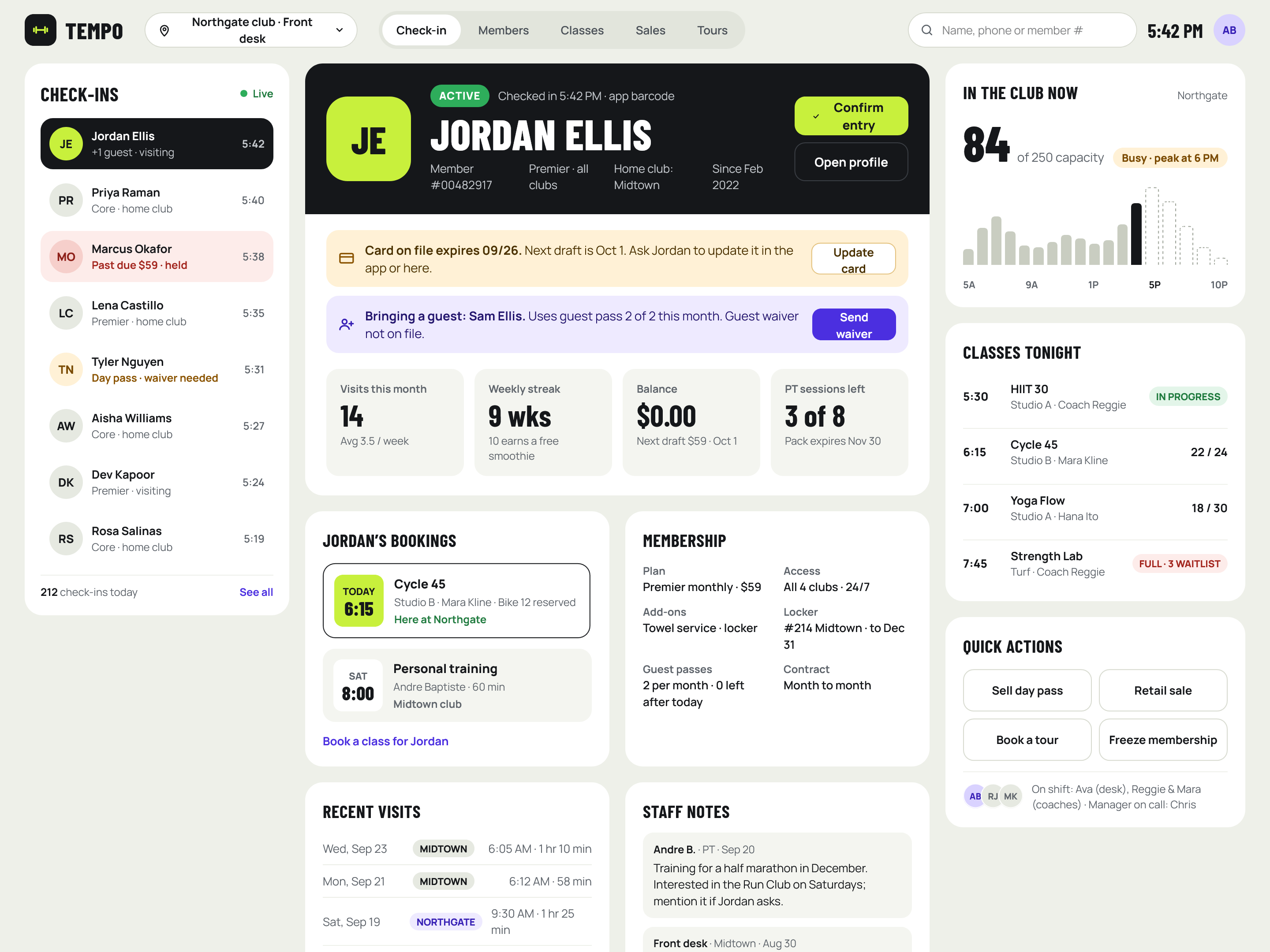
Gym front-desk screen showing live check-ins, a member profile with billing and waiver alerts, and tonight’s classes
Front-desk check-in, used by desk staff at each club. Managers see the same data across all four locations.
Fitness clubs · Four locations

The front desk knows who is walking in, and what needs sorting

Before

Check-ins on one vendor’s tablet, memberships in another system, and card problems and missing waivers on sticky notes by the register.

What we built

Live check-ins that flag past-due cards and missing waivers, member profiles with bookings and staff notes, tonight’s classes, and a count of who is in the club.

After

Staff sort out billing and waivers at the counter instead of chasing members later, and managers can see traffic at every club from one place.

Sound like your business?

A Process Map takes about a week and tells you exactly what a build would cost.

Book a Process Map